Email Us

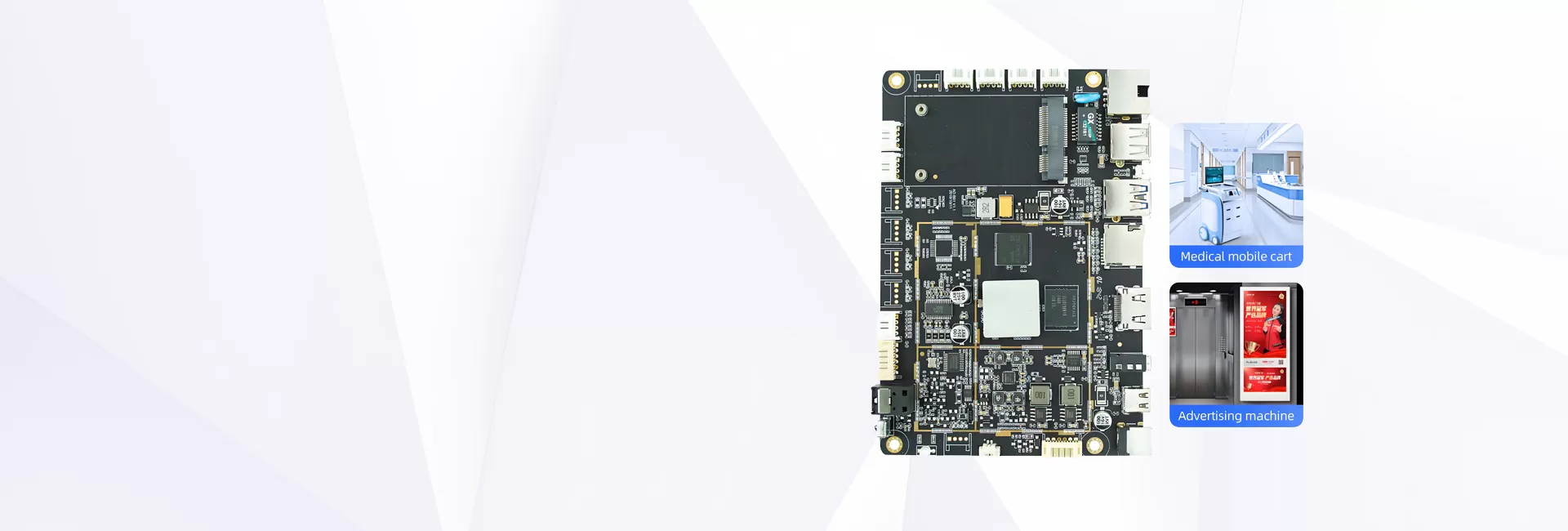
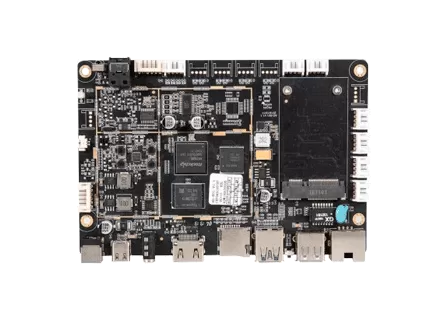
RK3328 Android Board for 4K Digital Signage and Media Players

Featuring a quad-core Cortex-A53 processor, the RK3328 Android Board delivers reliable 4K video decoding for cost-effective digital signage solutions. With comprehensive connectivity including HDMI and USB ports, it supports single-screen displays, information kiosks, and menu boards. The low-power design ensures stable 24/7 operation, making it ideal for entry-level commercial applications requiring dependable performance.
Request RK3328 Board Datasheet

Available RK3328 Android Board Model

AD-B01-RK3328
AD-B01-RK3328
Android 7.1 OS, 1+8GB/2+64GB, Supports 1080P@60FPS&4K@60FPS decoding, 4K@60FPS decoding, SD card 64GB, HDMI 2.0 output, HDMI 2.0 output.
Know More

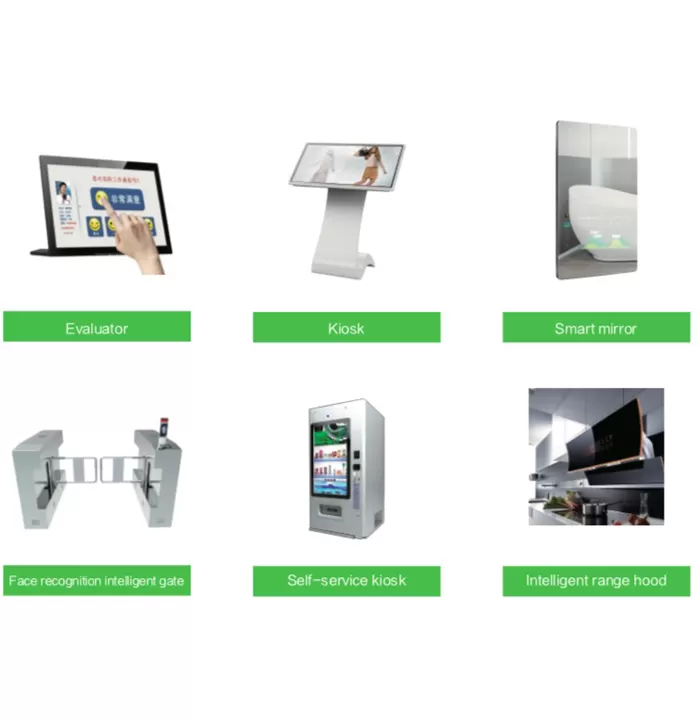
Why Our RK3328 Android Board is Your Smartest Choice?

Balanced Cost Performance

The quad-core Cortex-A53 processor delivers reliable 4K decoding capability at an economical price point, offering excellent value for budget-conscious digital signage projects.

Comprehensive Basic Interfaces

Provides essential connectivity including HDMI 2.0, USB 2.0, and Ethernet ports, supporting fundamental peripheral connections for most common digital signage scenarios.

Advanced Power Efficiency

Optimized power architecture significantly reduces energy consumption, enabling substantial electricity cost savings for large-scale deployment of basic advertising displays.

Simplified Thermal Design

Low thermal output allows passive cooling solutions, eliminating fan noise and reducing potential failure points for maintenance-free operation in commercial environments.

Why Our RK3328  Android Board is Your Smartest Choice?

Ideal Applications for the RK3328 Android Board

RK3328 Android Board

The RK3328 is well-suited for small businesses and chain stores requiring basic advertising displays. It reliably delivers 1080P video content for promotional campaigns and brand messaging in cost-sensitive environments.
RK3328 Android Board

Ideal for community centers and government offices, it powers information boards showing announcements, event schedules, and public service messages. Stable operation ensures continuous service availability.
RK3328 Android Board

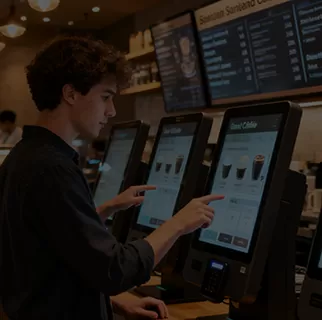
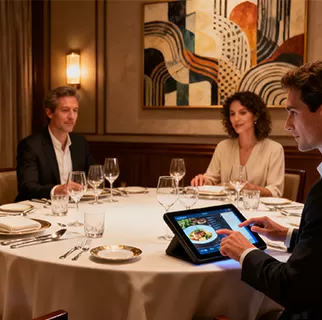
This board efficiently operates digital menu boards in fast-food outlets and cafes. Supporting scheduled content updates and remote management, it simplifies menu management for food service operators.
RK3328 Android Board

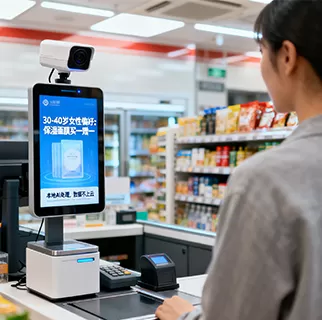
Suitable for small and medium enterprises, it drives internal communication displays showing company news, KPI dashboards, and meeting room bookings in office environments.

RK3328 4K Video Decoding and HDR Support

RK3328 multimedia processing supports 4K 60fps video decoding, HDR formats and HDMI 2.0 output for compatible commercial displays.

Up to 4K 60fps Video Decoding

The RK3328 platform supports hardware decoding for:

  • H.265 video up to 4K 60fps

  • H.264 video up to 4K 60fps

  • VP9 video up to 4K 60fps

  • Selected MPEG, VC-1 and VP8 content up to 1080p

Hardware decoding reduces the CPU workload required for media playback and helps the board run compatible high-resolution video more efficiently.

Actual playback performance also depends on:

  • Video codec

  • Video profile

  • Bit depth

  • Bitrate

  • Container format

  • Storage speed

  • Android media player

  • Firmware configuration

  • HDMI display

  • Operating temperature

Customers with demanding media files should provide sample videos for playback verification before mass production.

01

1080p Video Encoding

RK3328 supports H.264 and H.265 video encoding at up to 1080p.

Encoding may be relevant to projects involving:

  • USB camera recording

  • Basic video conferencing

  • Local video storage

  • Remote video transmission

  • Simple camera monitoring

Video encoding capability should not be confused with the processor’s higher 4K video decoding capability.

02

HDR10 and HLG

The RK3328 platform supports HDR10 and HLG high-dynamic-range formats, as well as conversion between SDR and HDR.

Final HDR performance depends on:

  • Source video

  • Android player

  • Firmware

  • HDMI cable

  • Display compatibility

  • Display settings

HDR support should therefore be verified with the actual display and media content used in the project.

03

HDMI 2.0 Output

The AD-B01 provides HDMI 2.0 output for connecting a compatible 4K monitor, television or commercial signage display.

A complete 4K 60Hz output solution requires:

  • A compatible 4K display

  • A suitable HDMI cable

  • Correct firmware configuration

  • Supported media content

  • Sufficient storage and network performance

If your project requires a complete enclosed playback device rather than a bare motherboard, review SUNCHIP’s 4K media player box.

04

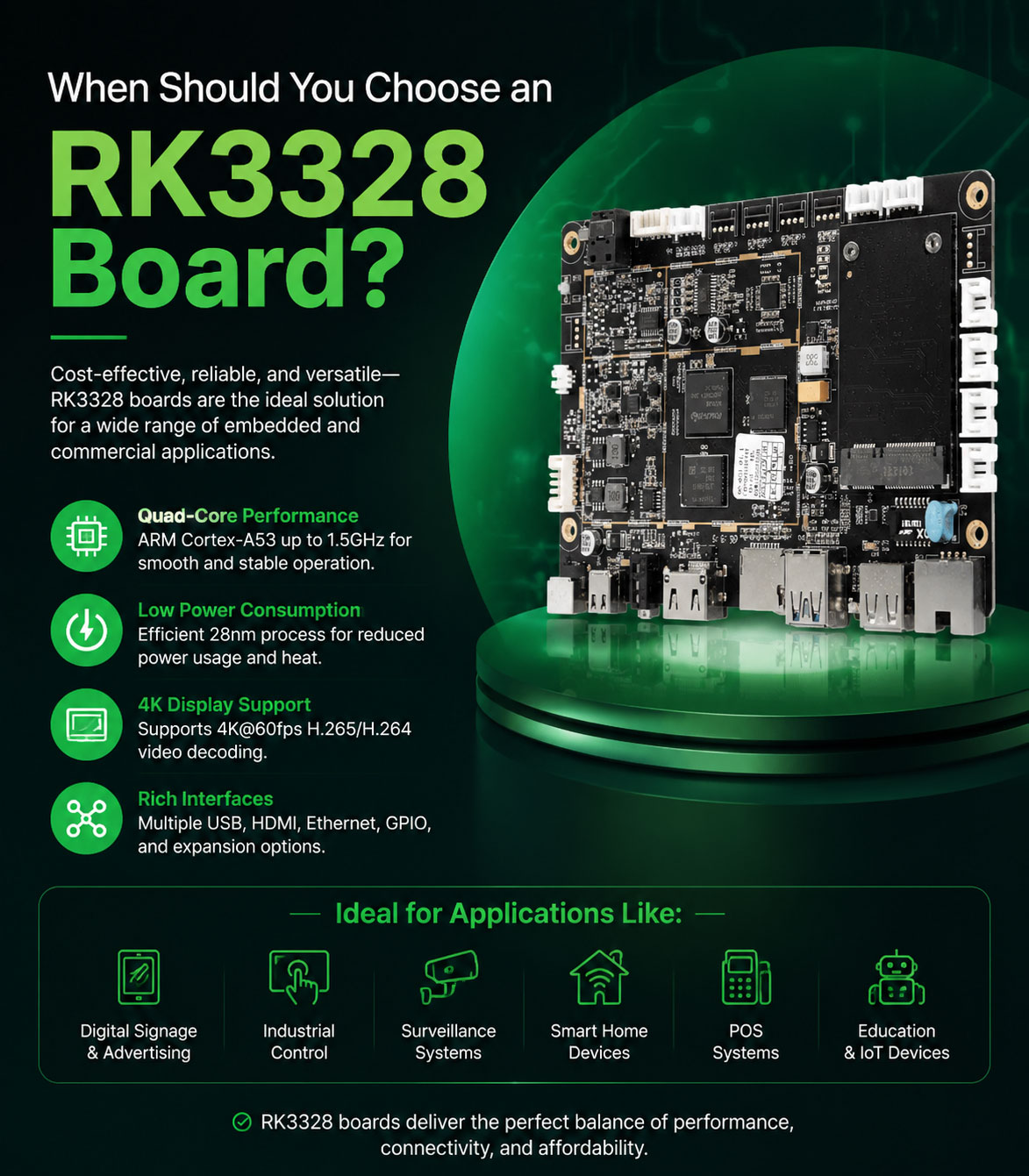
When Should You Choose an RK3328 Board?

RK3328 is suitable when a project needs affordable 4K HDMI playback but does not require advanced AI, several independent displays or newer high-performance computing.

Choose RK3328 When You Need

  • One HDMI display

  • 4K H.265, H.264 or VP9 decoding

  • Standard Android media applications

  • Gigabit Ethernet

  • Multiple USB peripherals

  • Simple digital signage software

  • Basic remote content updates

  • Controlled hardware cost

  • A mature fixed software environment

Consider Another Platform When You Need

  • Android 11, Android 12 or newer APIs

  • Direct LVDS, eDP or MIPI screen integration

  • Multiple independent display outputs

  • AI image recognition

  • Advanced 3D graphics

  • Complex browser applications

  • High-performance multitasking

  • A longer future software upgrade path

  • More RAM

  • Wi-Fi 6

For these requirements, compare the available Rockchip Android boards before confirming the hardware platform.
When Should You Choose an RK3328 Board?

RK3328 Connectivity and Peripheral Integration

AD-B01 connectivity supports Ethernet communication, wireless networking, USB peripherals and selected external modules for commercial HDMI display devices.

Gigabit Ethernet

The board provides an RJ45 interface supporting 10/100/1000 Mbps Ethernet.

A wired network connection can be used for:

  • Content downloads

  • Local server access

  • Device monitoring

  • Remote application communication

  • Digital signage CMS integration

  • Network video playback

  • Firmware updates

Actual network throughput depends on the network equipment, server, software and board configuration.

01

Wi-Fi and Bluetooth

The standard configuration includes:

  • Wi-Fi 802.11b/g/n

  • Bluetooth 4.0

Wi-Fi can support wireless content delivery and cloud communication. Bluetooth may be used with compatible peripherals, controllers or audio devices.

Projects requiring dual-band Wi-Fi, Wi-Fi 6 or a newer Bluetooth version should consider a newer processor platform or a customized wireless module.

02

Multiple USB Interfaces

The AD-B01 provides six USB host connections and one USB 3.0 connection.

Depending on Android driver and power compatibility, these interfaces may connect devices such as:

  • USB touchscreen controllers

  • USB cameras

  • Barcode scanners

  • Receipt printers

  • Card readers

  • NFC readers

  • Keyboards and mice

  • Storage devices

  • Infrared receivers

  • External control modules

Peripheral compatibility depends on:

  • Exact device model

  • Android driver

  • USB protocol

  • Power consumption

  • Application software

  • Simultaneous device quantity

Customers should provide the model number and technical documentation for every required peripheral.

03

Mobile Network Expansion

The current AD-B01 design can be evaluated for selected 4G module integration.

Before confirming a mobile network solution, SUNCHIP needs to review:

  • Module model

  • Interface type

  • Frequency bands

  • SIM card requirements

  • Antenna design

  • Android driver

  • Target country

  • Required certifications

Mobile network compatibility should not be assumed without testing the selected module.

04

Audio and Camera Integration

The board supports a USB camera, microphone input and a dual-channel Class-D amplifier.

These interfaces may be used in:

  • Basic video communication

  • Information terminals

  • Voice-enabled displays

  • Camera monitoring

  • Interactive kiosks

  • Commercial presentation systems

The camera resolution, frame rate and recording requirements should be confirmed before board selection.

05

RK3328 Board OEM and ODM Customization

RK3328 board customization adapts Android firmware, applications, peripheral support and product branding to a specific HDMI-based commercial device.

SUNCHIP provides OEM and ODM Android board services covering requirement analysis, firmware configuration, sample testing and mass production.

Android Firmware Customization

Available firmware services may include:

  • Boot logo

  • Boot animation

  • APK pre-installation

  • Application auto-start

  • Kiosk mode

  • Customized launcher

  • System permission settings

  • Root access configuration

  • Display rotation

  • Network settings

  • USB update

  • OTA update

  • Watchdog

  • Automatic recovery

  • API integration

  • Remote device management

The availability of each function should be confirmed according to the required Android build and project scope.

Peripheral Integration

SUNCHIP can evaluate supported peripherals such as:

  • USB touchscreen

  • USB camera

  • Barcode scanner

  • Printer

  • Card reader

  • NFC reader

  • 4G module

  • Infrared remote control

  • External storage

  • External buttons

Customers should provide the peripheral model, protocol, driver package and power requirements.

Product-Level Integration

For complete media player or digital signage products, customization may cover:

  • Enclosure design

  • Connector position

  • Power adapter

  • Wi-Fi antenna

  • Cable selection

  • Product label

  • Boot branding

  • Application installation

  • Packaging

  • Firmware version control

  • Functional testing

The final customization scope depends on technical feasibility, order quantity and development workload.

RK3328 Board Development Process

A structured development process helps confirm multimedia, software and peripheral compatibility before mass production.

Step 1: Submit Project Requirements

Please provide:

  • Product application

  • Display model and resolution

  • Video formats

  • Maximum video bitrate

  • Required Android application

  • USB peripheral list

  • Network requirements

  • Storage requirement

  • Enclosure dimensions

  • Estimated order quantity

  • Target production schedule

Step 2: Platform Evaluation

SUNCHIP evaluates whether RK3328 is appropriate for the required software, media content and interfaces.

If the project requires newer Android support or stronger performance, a different Android board platform may be recommended.

Step 3: Hardware Configuration

The team confirms:

  • RAM

  • eMMC

  • SD card

  • Ethernet

  • Wi-Fi

  • Bluetooth

  • USB devices

  • Camera

  • Audio

  • Mobile network module

  • Power supply

Step 4: Firmware Configuration

The required Android settings, applications, boot branding, network functions and peripheral drivers are prepared.

Step 5: Sample Development

A sample is produced using the agreed hardware and firmware configuration.

Step 6: Compatibility Testing

The customer and SUNCHIP test:

  • 4K video playback

  • HDMI output

  • Network connection

  • USB devices

  • Application performance

  • Startup behavior

  • Firmware update

  • Recovery

  • Power consumption

  • Thermal behavior

Step 7: Sample Approval

The customer confirms the final hardware configuration, firmware version and functional requirements.

Step 8: Mass Production

The approved version is transferred to production with configuration control and functional inspection requirements.

Android Board
Ready to customize? Contact SUNCHIP for your OEM/ODM solution today!
Android Board
We use cookies to offer you a better browsing experience, analyze site traffic and personalize content. Part of the tracking is necessary to ensure SEO effectiveness,
By using this site, you agree to our use of cookies. Visit our cookie policy to learn more.
Reject Accept